Inventory & Replenishment Workflow
Eliminated manual stock checks and automated the entire restocking process — from low-stock detection to supplier PO to Shopify listing update.
The problem
Manual stock checks across 100+ SKUs were eating 1–2 hours every morning
Stockouts were happening because alerts were missed or delayed, leading to lost sales and frustrated customers. Purchase orders were still being made manually in spreadsheets with no audit trail.
- Daily manual inventory checks across 100+ SKUs
- No automatic alert when stock dropped below threshold
- Purchase orders created manually in spreadsheets
- Shopify listings not updated in real-time after restocking
- No audit trail of stock movements or restocking history
What I built
An automated Inventory & Replenishment Workflow in n8n that runs on a schedule, detects low-stock items, creates purchase orders, notifies the owner, and updates Shopify — all without any manual input.
Scheduled trigger fetches live inventory
The workflow fires automatically on a daily schedule. It fetches current inventory levels from Shopify across all active SKUs, then pulls sales velocity data to calculate smarter reorder quantities.
Low-stock detection
The workflow checks all SKUs against their set threshold. If stock is OK, it exits cleanly with no action. If low stock is detected, it proceeds to build a formatted Purchase Order automatically.
Automated PO sent to supplier
The Purchase Order is formatted and sent directly to the supplier via Gmail — no manual spreadsheet work, no copy-pasting. The right quantities based on sales velocity are included automatically.
Shopify listings updated
SKUs are split and Shopify listings are updated with new stock information in real-time. No manual admin work required after restocking.
Owner alert + full audit trail
An alert summary is sent via Slack and Gmail so the owner sees exactly what was restocked. Everything is logged to a Google Sheets audit trail for full visibility into stock movements and restocking history.
Workflow screenshots
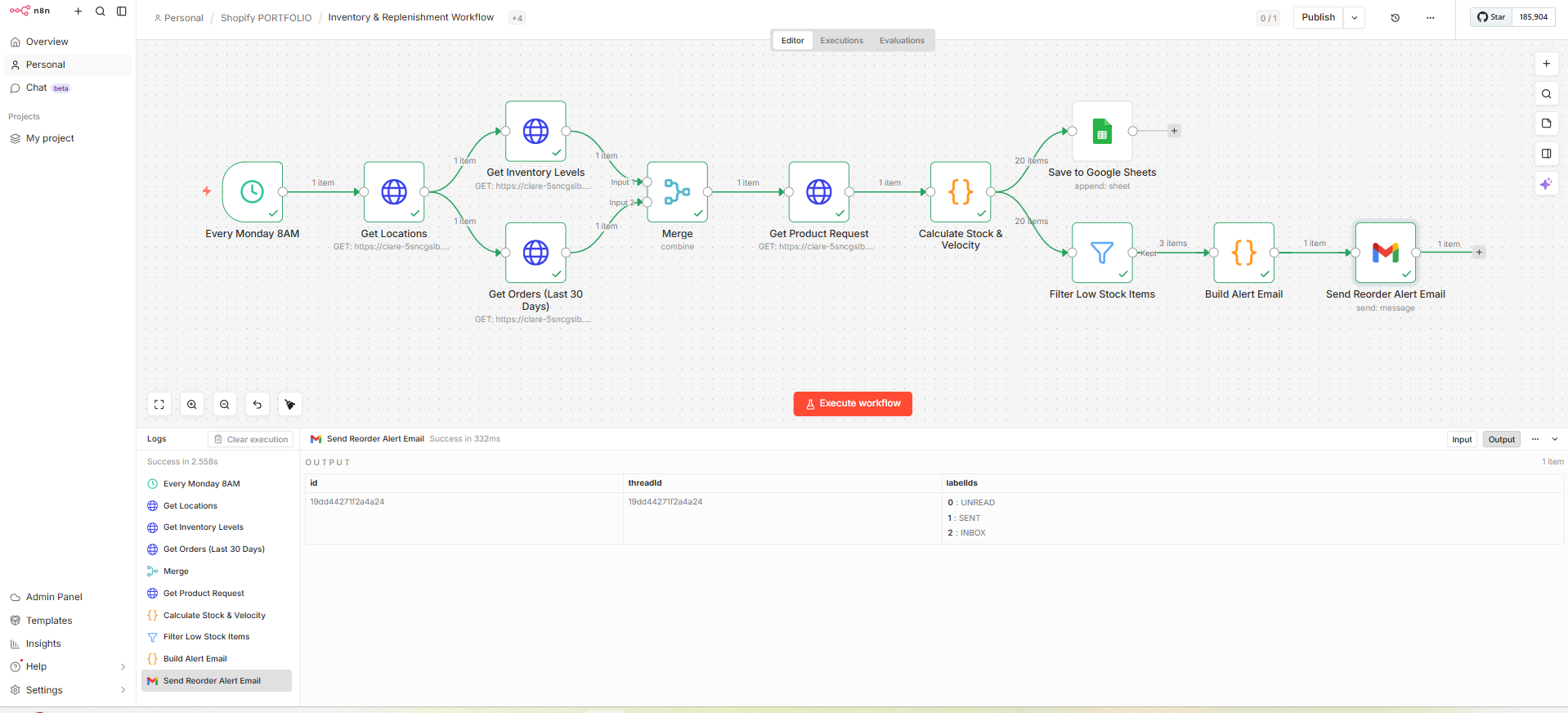
Schedule trigger → fetch inventory → detect low stock
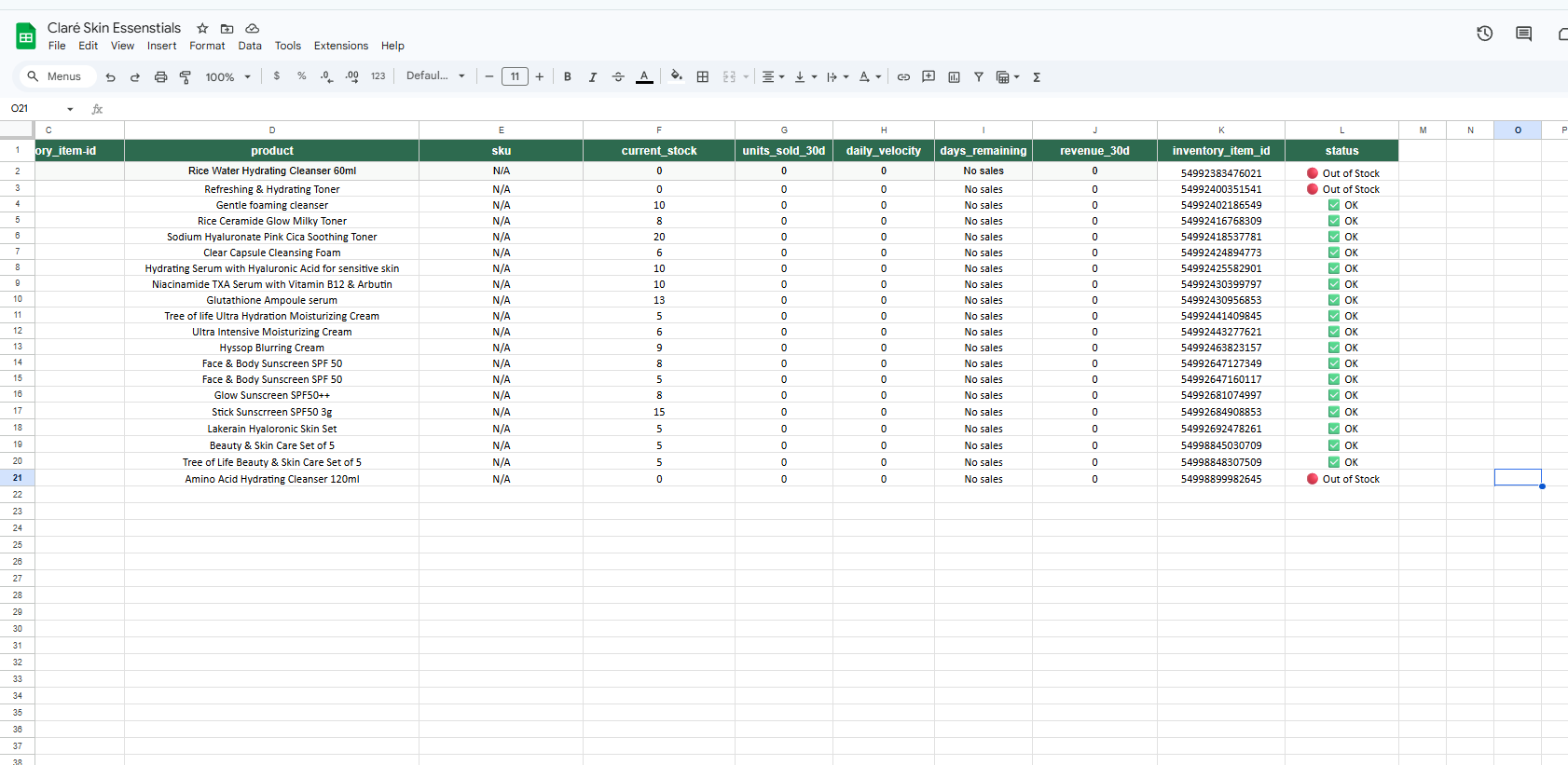
Build PO → email supplier → update Shopify
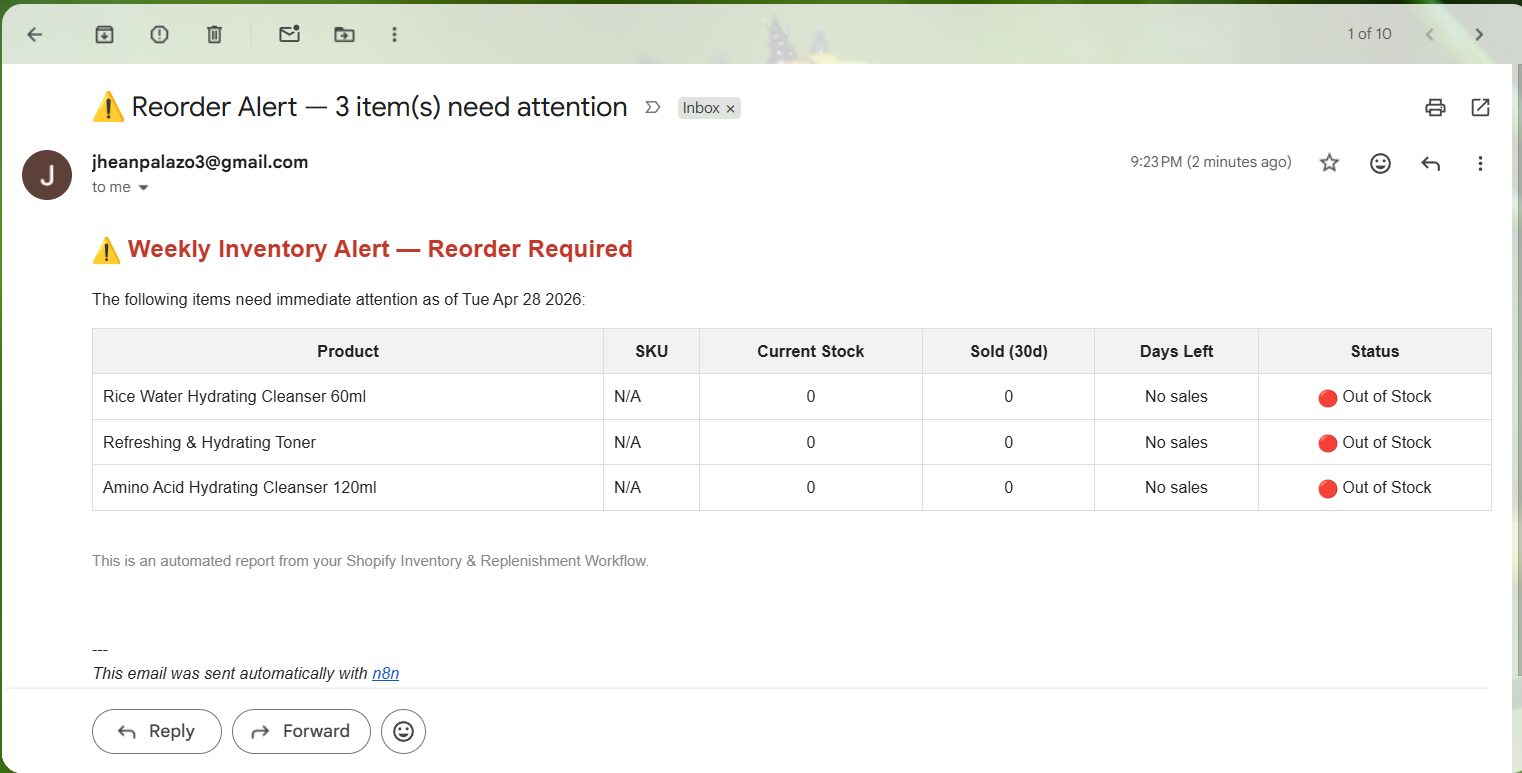
Alert summary → Slack + Gmail → Google Sheets log
Video walkthrough
Full walkthrough — from low-stock detection to PO creation to Shopify update
Tools used
Tired of manual stock checks every morning?
This system can be adapted to your SKU count, reorder rules, and supplier setup — fully automated from day one.